
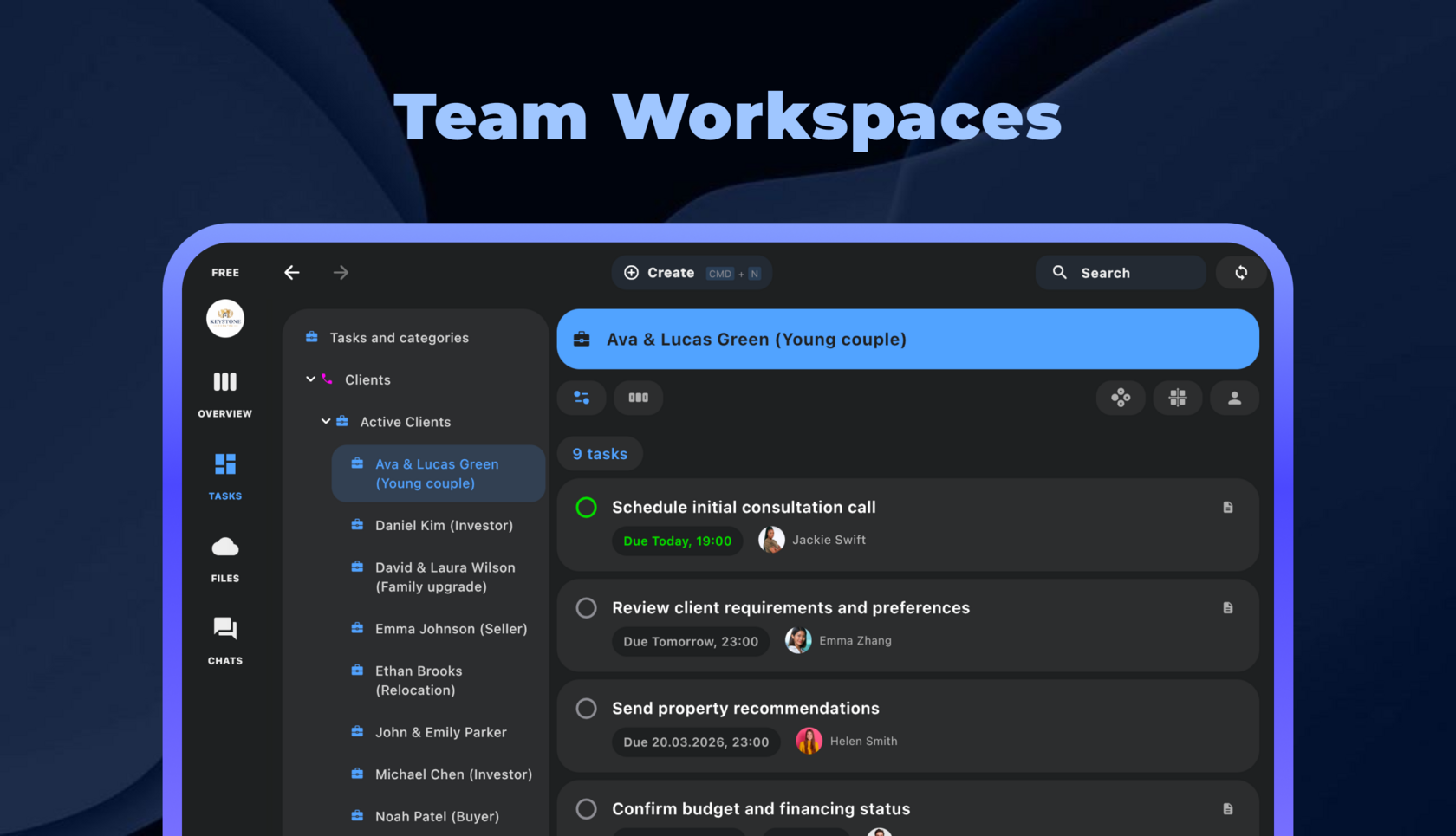
Here's how Chaos Control Team Workspaces are structured.
Every Workspace includes the following sections:

Task Summary
This is a list of all tasks from all workspace members, which you can filter by:
Here’s what it looks like:
- Assigned to Me – tasks assigned to you, so you can see everything you need to do in one place.
- Created by Me – everything you’ve assigned to others, perfect for keeping track of delegated work.
- All Tasks – all tasks in the workspace, so you can get a full picture of what’s happening.
Here’s what it looks like:

These filtering options will be available in upcoming version 2.14.9, with additional filters (by assignee, due date, category, etc.) coming in further releases. The summary view is ideal for small teams, giving you a quick overview of the situation without extra navigation.
Projects
In this section, you can create categories and projects, just like in the personal version of Chaos Control. Note that you’ll now be able to create tasks directly inside categories without linking them to a specific project (this feature will also be added to the personal version of Chaos Control):

Together with the Task Summary, this section gives you the flexibility to view tasks the way that works best for you. Inside any category or project, you can apply filters to narrow down tasks as needed.
Members
In this section, you’ll be able to manage the list of members and their roles, as you’d expect. You’ll also be able to click on any member’s name to view their tasks and recent activity:

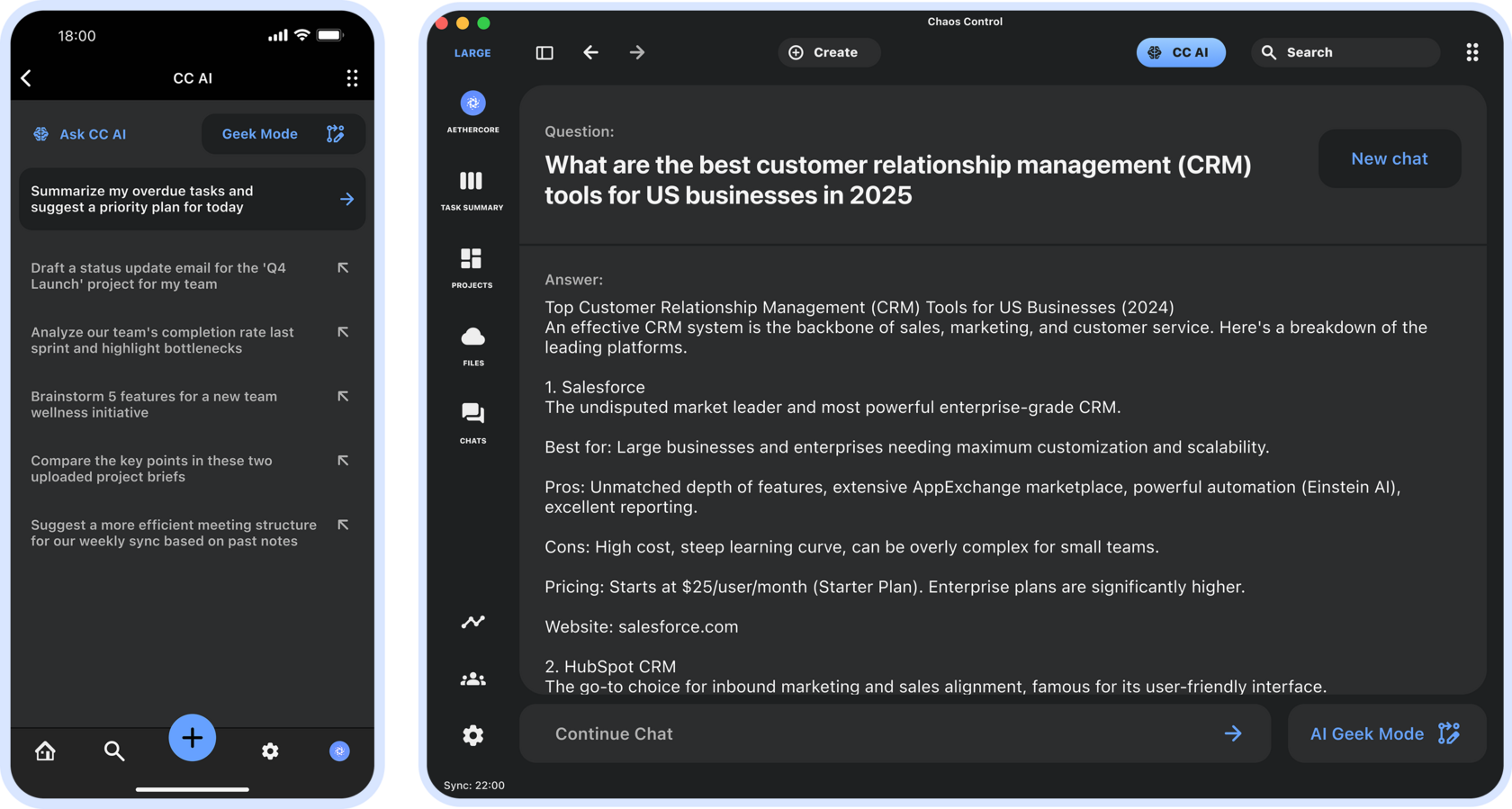
Chaos Control AI
In this section, you’ll be able to ask the AI assistant questions. It stays up to date with everything happening in the workspace and can not only answer general questions, like the current Chaos Control AI does, but also help you gather information about workspace events. For example, it can find a specific file or provide updates on a particular task (including information from chats):
Files
This is where folders and files used within your workspace will be stored. You’ll be able to attach them to projects and tasks, and link to them in chats:

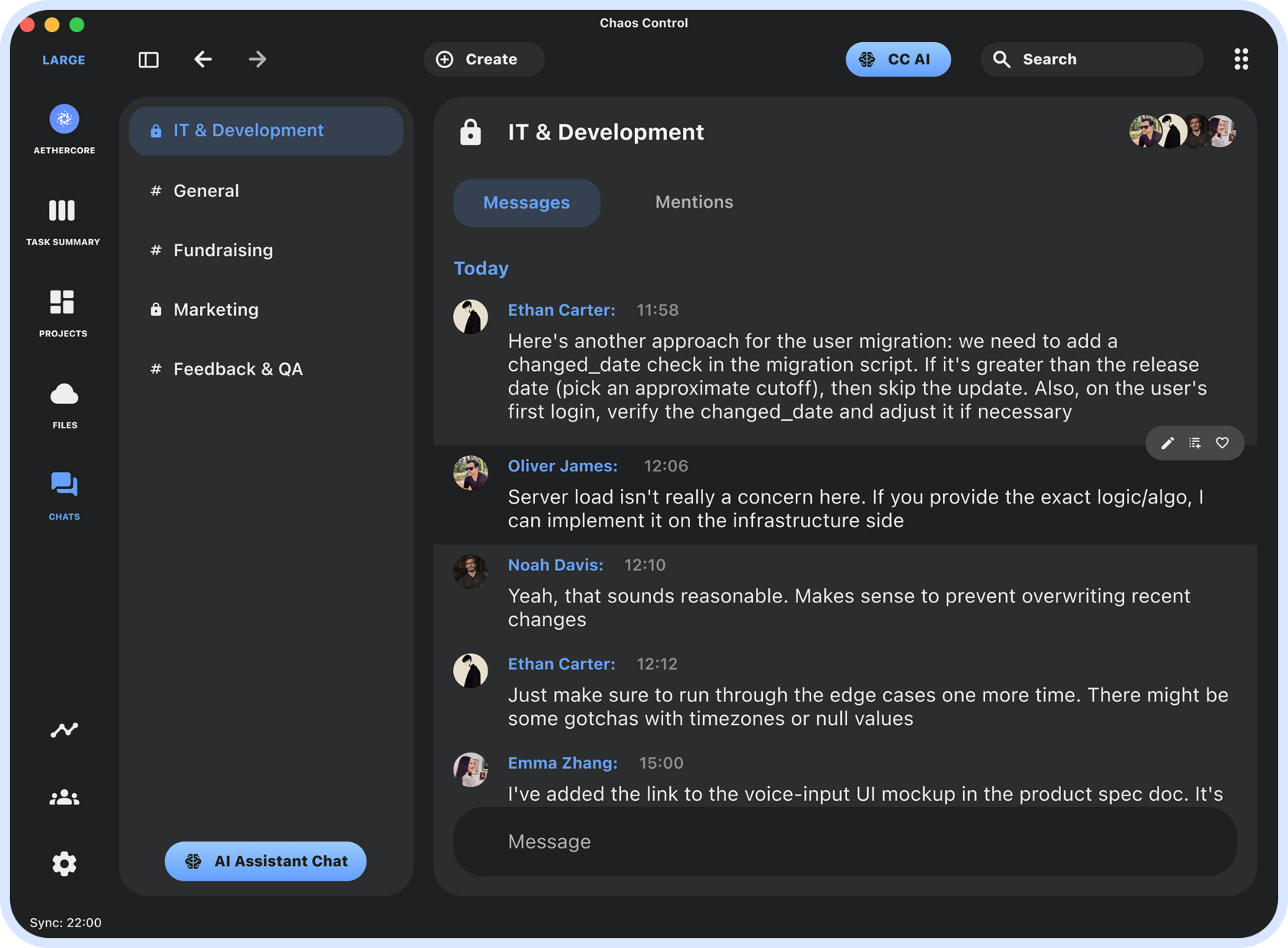
Chats
In this section, you can create private and public discussion channels. This is essentially a built-in messenger, enhanced with AI features. The AI can transcribe voice messages to text, summarize conversations, and even polish your messages for style and conciseness:
This is an overview of the core functionality we expect to launch in coming releases. Please note that version 2.14.9 which we are rolling out next week will have everything described except Chats, AI and Files. We will be adding these features in further updates.
You can read more about other aspects of team collaboration on this page.
Pre-order of Lifetime Workspace Licenses
Lifetime licenses for tools like this are usually unheard of - but not in our case. Until April 26, you can purchase a lifetime license for any number of Workspaces of any tier through our pre-order program:
Small plan: $340
Medium plan: $640
Large plan: $990
This is a one-time payment that grants you lifetime access to all team collaboration features within a specific Workspace - for all its participants. This includes Chaos Control AI and cloud storage. After April 26, lifetime Workspace licenses will no longer be available. You can pre-order your license on our website:
Small plan: $340
Medium plan: $640
Large plan: $990
This is a one-time payment that grants you lifetime access to all team collaboration features within a specific Workspace - for all its participants. This includes Chaos Control AI and cloud storage. After April 26, lifetime Workspace licenses will no longer be available. You can pre-order your license on our website:
Get Lifetime License for a Workspace
The price will increase by 20% on March 26. Don’t miss out!
Note: customers with a PRO license are eligible to an additional discount when purchasing a Team Workspace license. Please email us at support@chaos-control.app, and we'll send you a promo code
Note: customers with a PRO license are eligible to an additional discount when purchasing a Team Workspace license. Please email us at support@chaos-control.app, and we'll send you a promo code
Dmitriy Tarasov,
Founder of Chaos Control
Founder of Chaos Control