
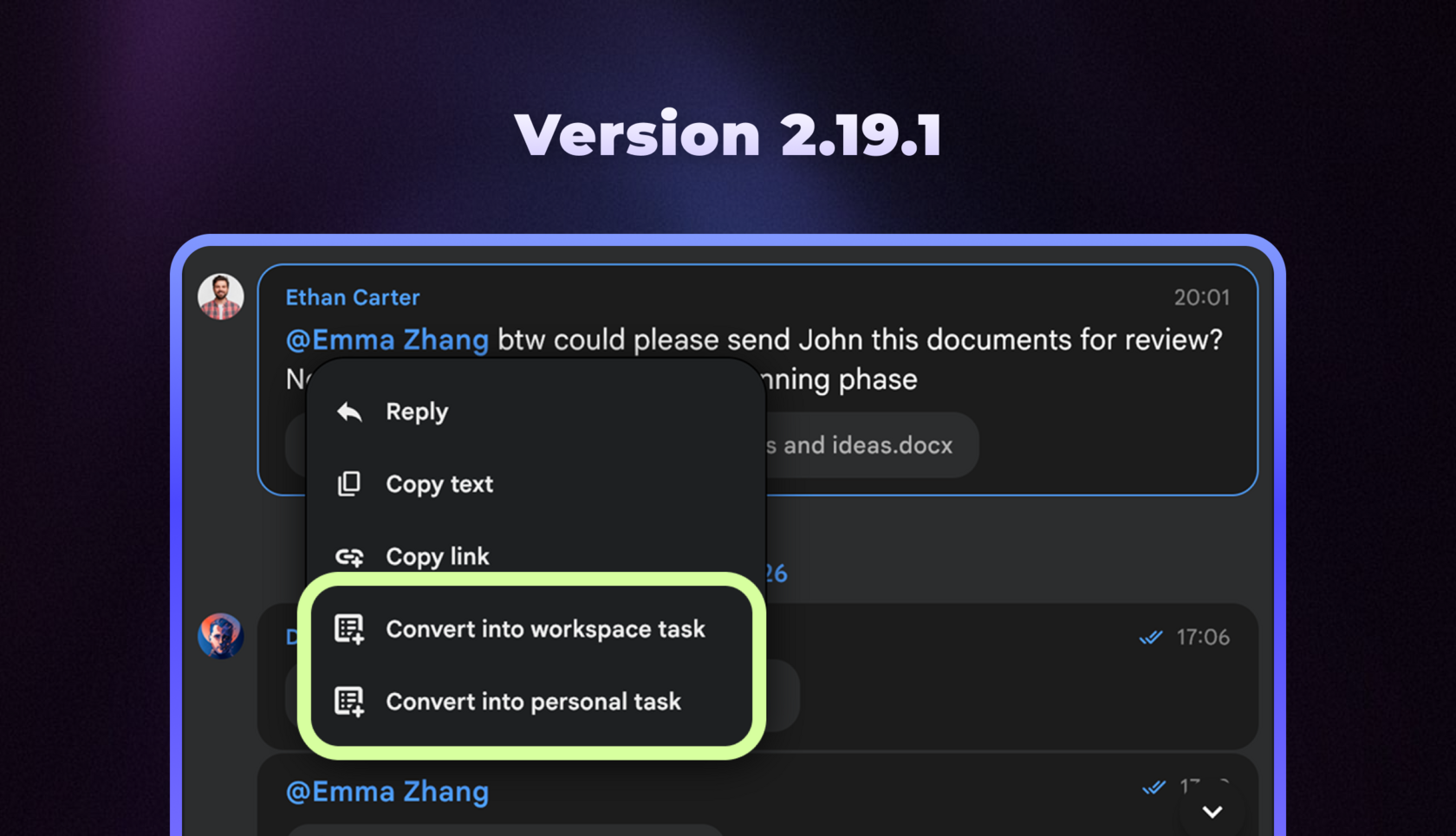
Chaos Control has been updated to version 2.19.1 on all platforms. Here’s what’s new.
Moving Tasks Between Workspaces
You can now move tasks between Workspaces:
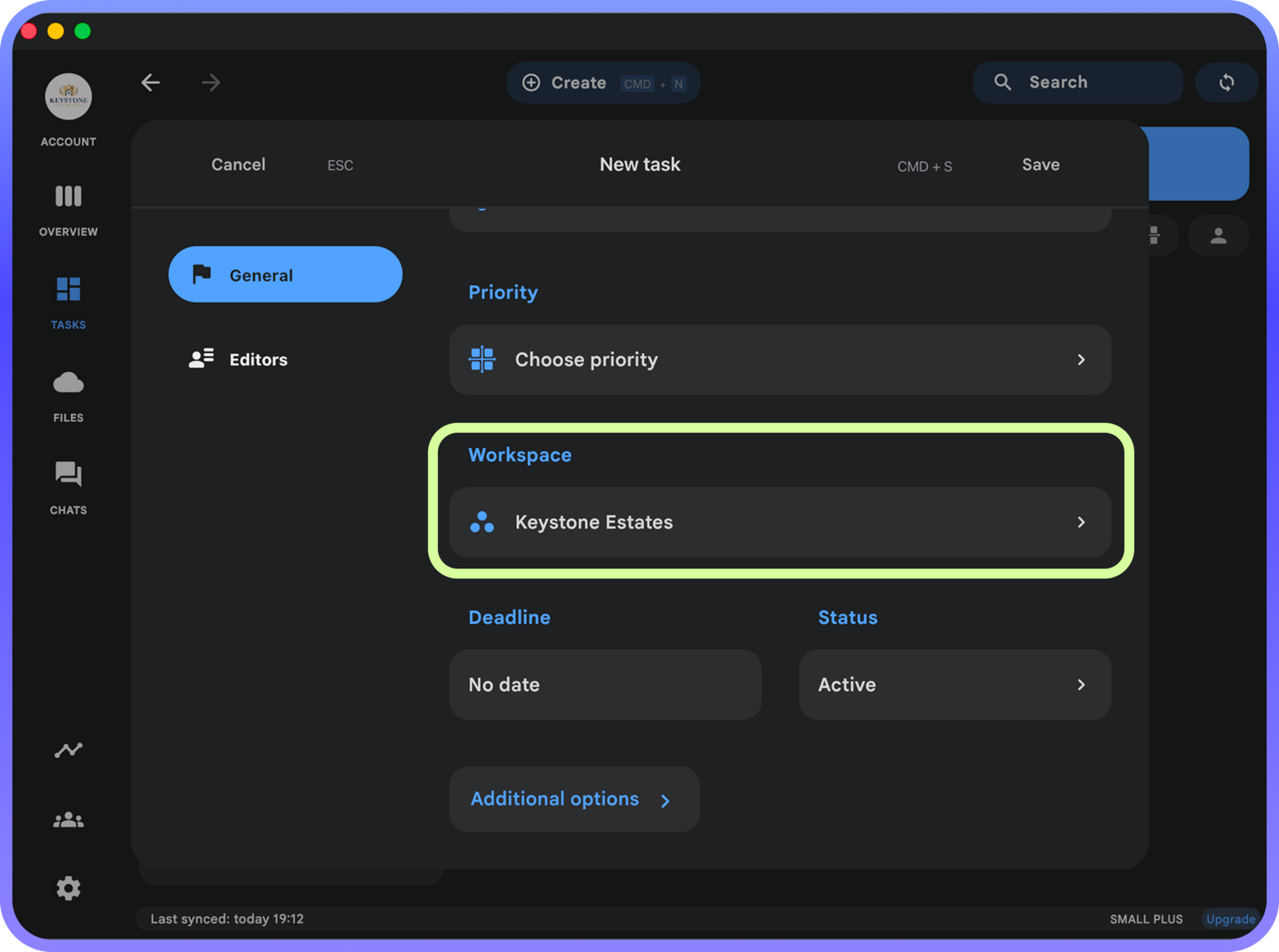
There are two ways to change a task’s Workspace. You can do it from the General tab of the task editing dialog:
- Move a personal task to a Team Workspace (for example, to delegate it to someone else)
- Move a team task to your Personal Workspace (useful if you created a task for yourself and don’t want other members/admins to see it)
- Move a task from one team to another (useful if you have multiple Workspaces)
There are two ways to change a task’s Workspace. You can do it from the General tab of the task editing dialog:
Or by using the “Change Workspace” button in the task view dialog:
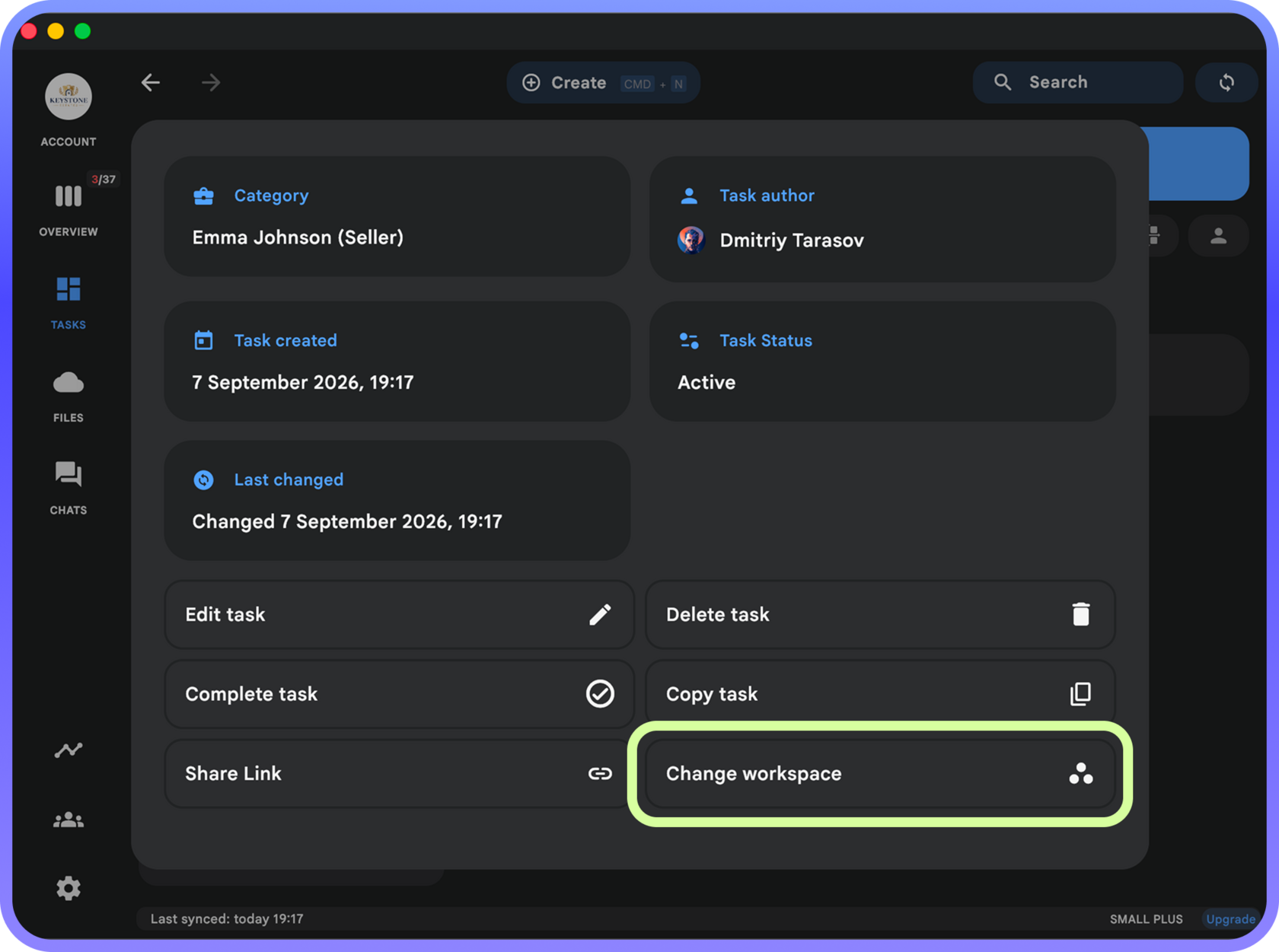
Please note that when you move a task from your Personal Workspace, a copy is saved in the “Archive” section. This can be useful because team tasks do not yet support recurrences or contexts (these features are coming in version 2.20), so you may want to restore the task to your Personal Workspace after moving it to a Team Workspace.
Improved Task Creation from Chats
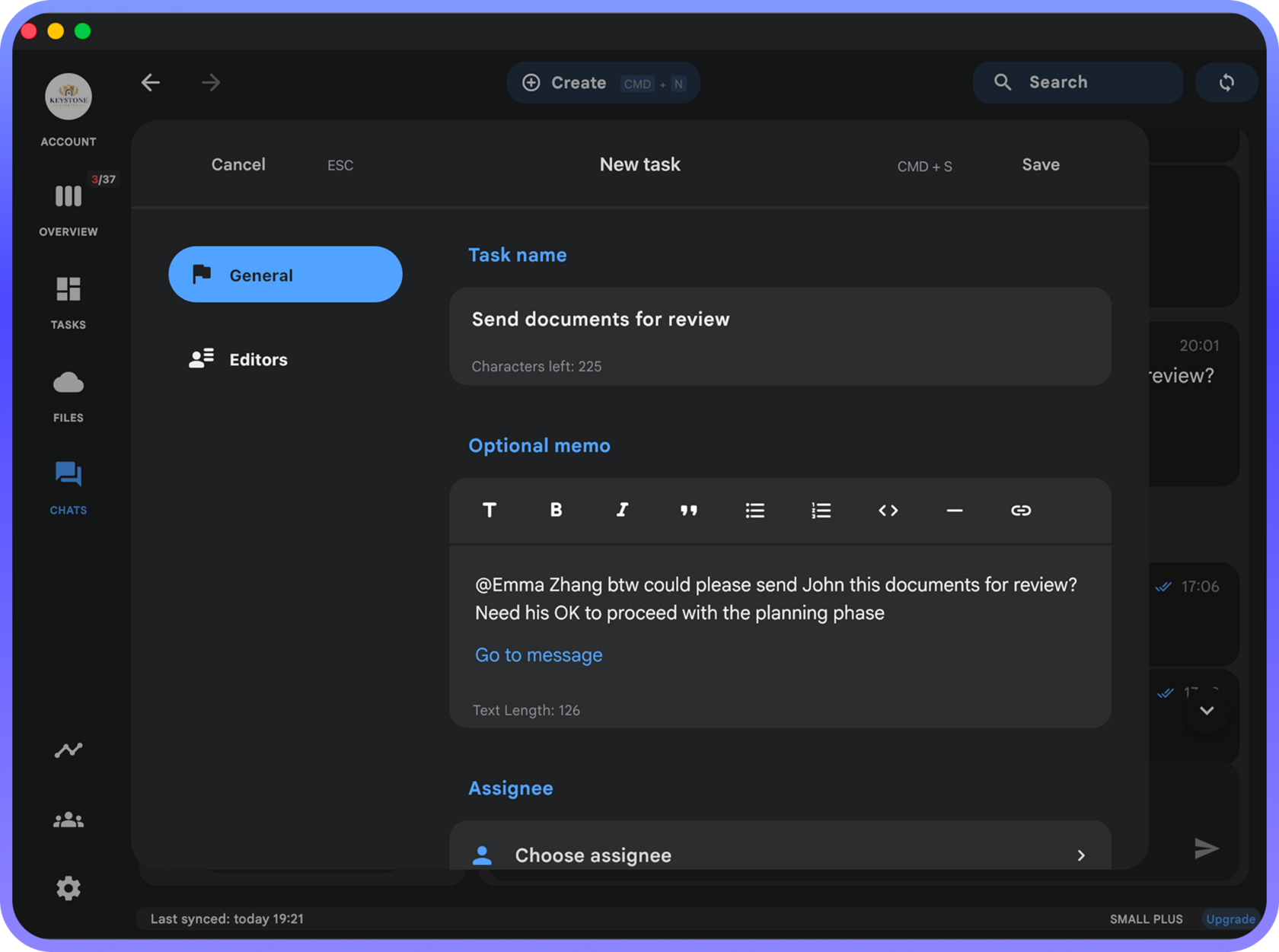
You can now create a task from a Chat by clicking a message and choosing one of two options:
- Create a task in any of your Team Workspaces
- Create a task in your Personal Workspace
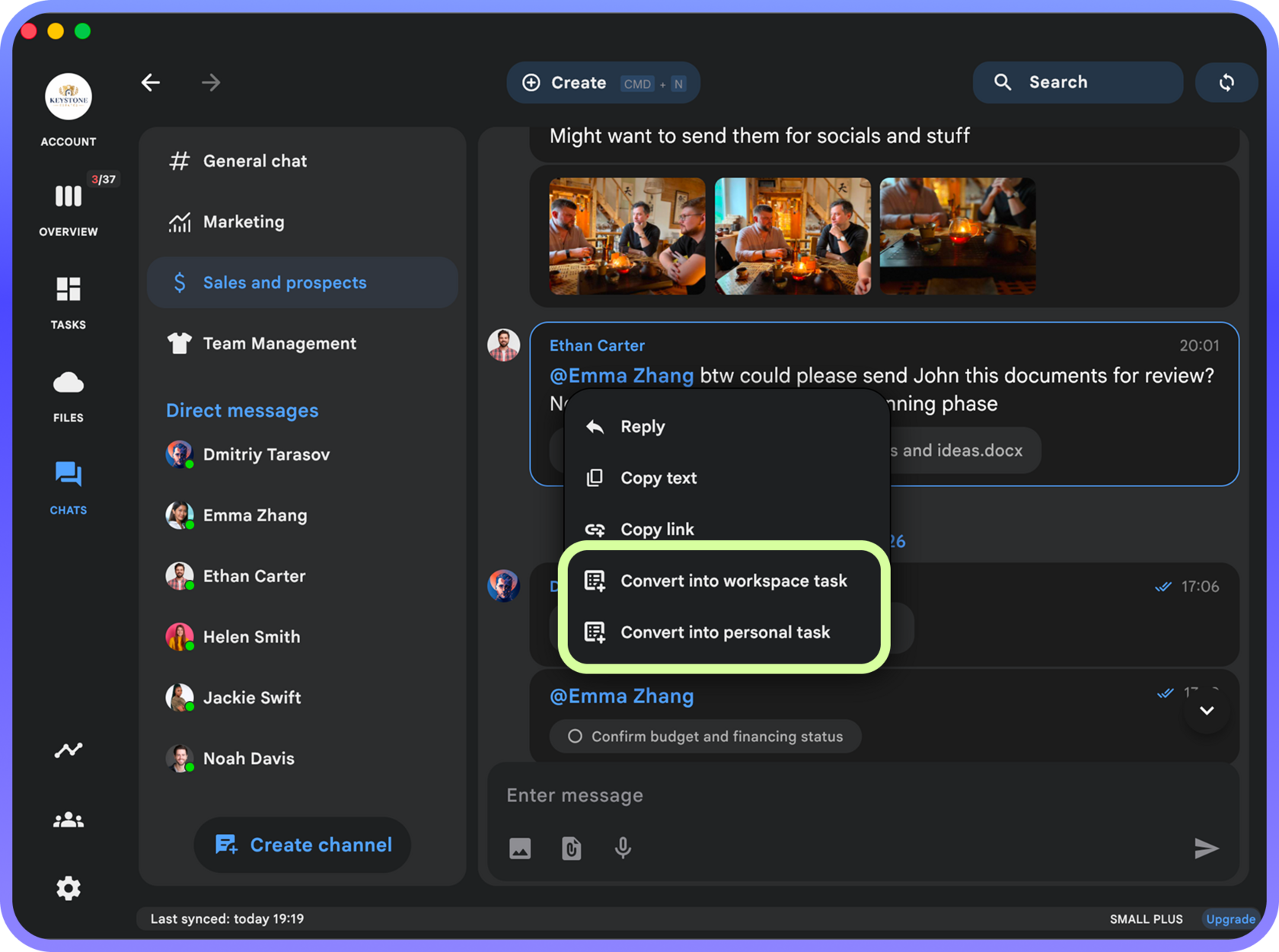
Here’s how this feature can be used:
1. During a conversation, an issue comes up that should become a task in one of your Workspaces
2. Right-click the message (or press and hold it in the mobile app)
3. Choose where you want to create the task — in your Personal Workspace or a Team Workspace
4. The task creation dialog opens with the message text and a link to the conversation for context
This makes it easy to turn the results of a conversation into actionable tasks while preserving the context for whoever is responsible for completing them:
Other Improvements
- Filter settings in different Team categories and the Summary now work independently of one another
- Fixed an issue with playing voice messages in Chats when the device is in silent mode
- You can now send messages to yourself in Chats
- Improved handling of long task and project notes
Team Workspace License
As a reminder, unlimited use of Chats and assigning tasks to other people are available with a Team license. Here, you can learn how to create a team and add members to it.
If you have a personal Chaos Control license, you can get a 20% to 40% discount on a Team Workspace. Email us at support@chaos-control.app, and we’ll send you a promo code.
If you have a personal Chaos Control license, you can get a 20% to 40% discount on a Team Workspace. Email us at support@chaos-control.app, and we’ll send you a promo code.
Get a Team License
Enjoy the update!
Dmitry Tarasov,
Founder of Chaos Control
Founder of Chaos Control