
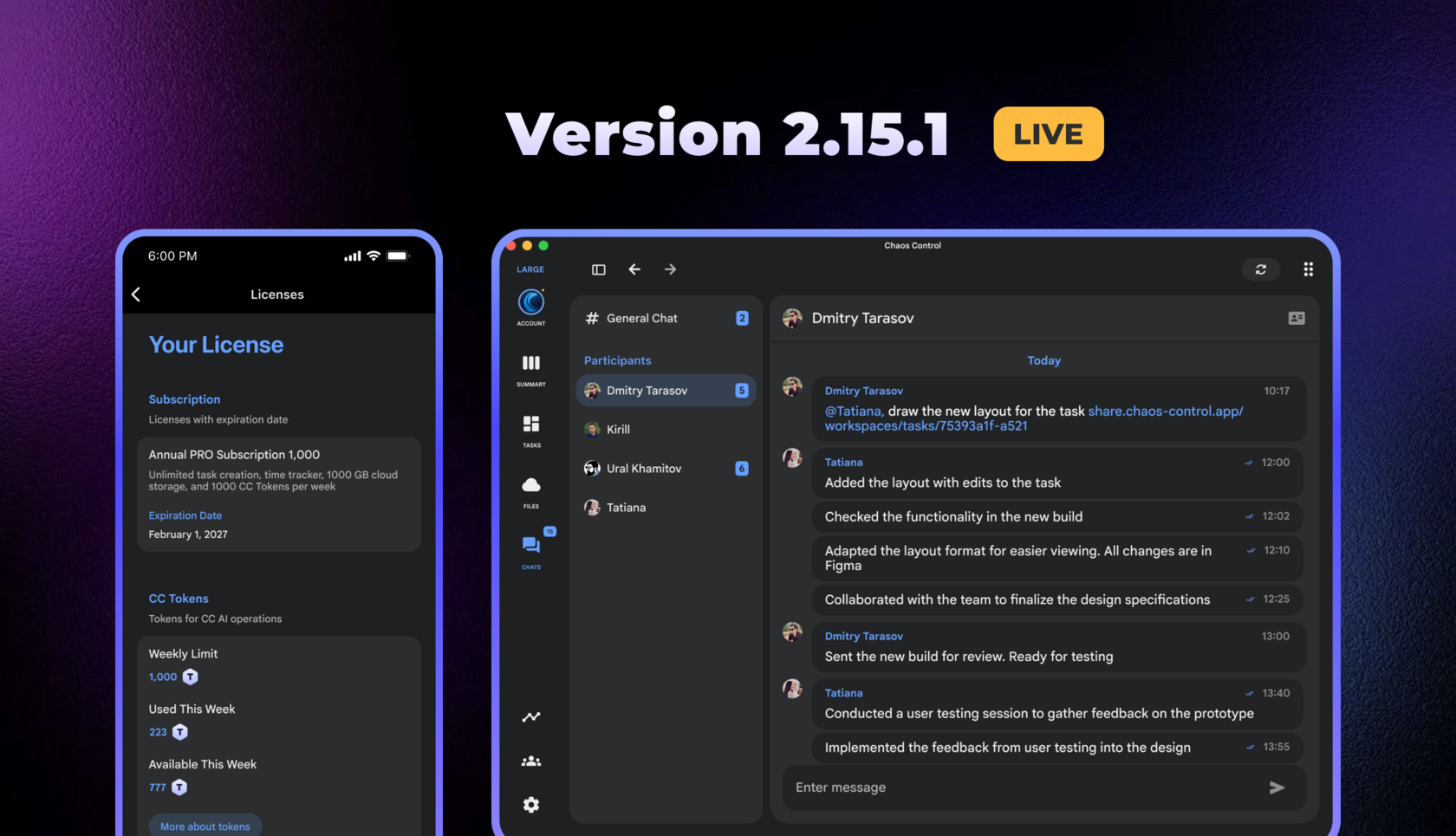
Chaos Control has been updated to version 2.15.1 across all platforms. You can download the latest version of the app on our website.
Chaos Control Tokens
Starting with this update, we are switching to CC Tokens for billing AI operations. If you missed the news about tokens, details are available here.
In the current version, tokens are used as follows:
In the current version, tokens are used as follows:
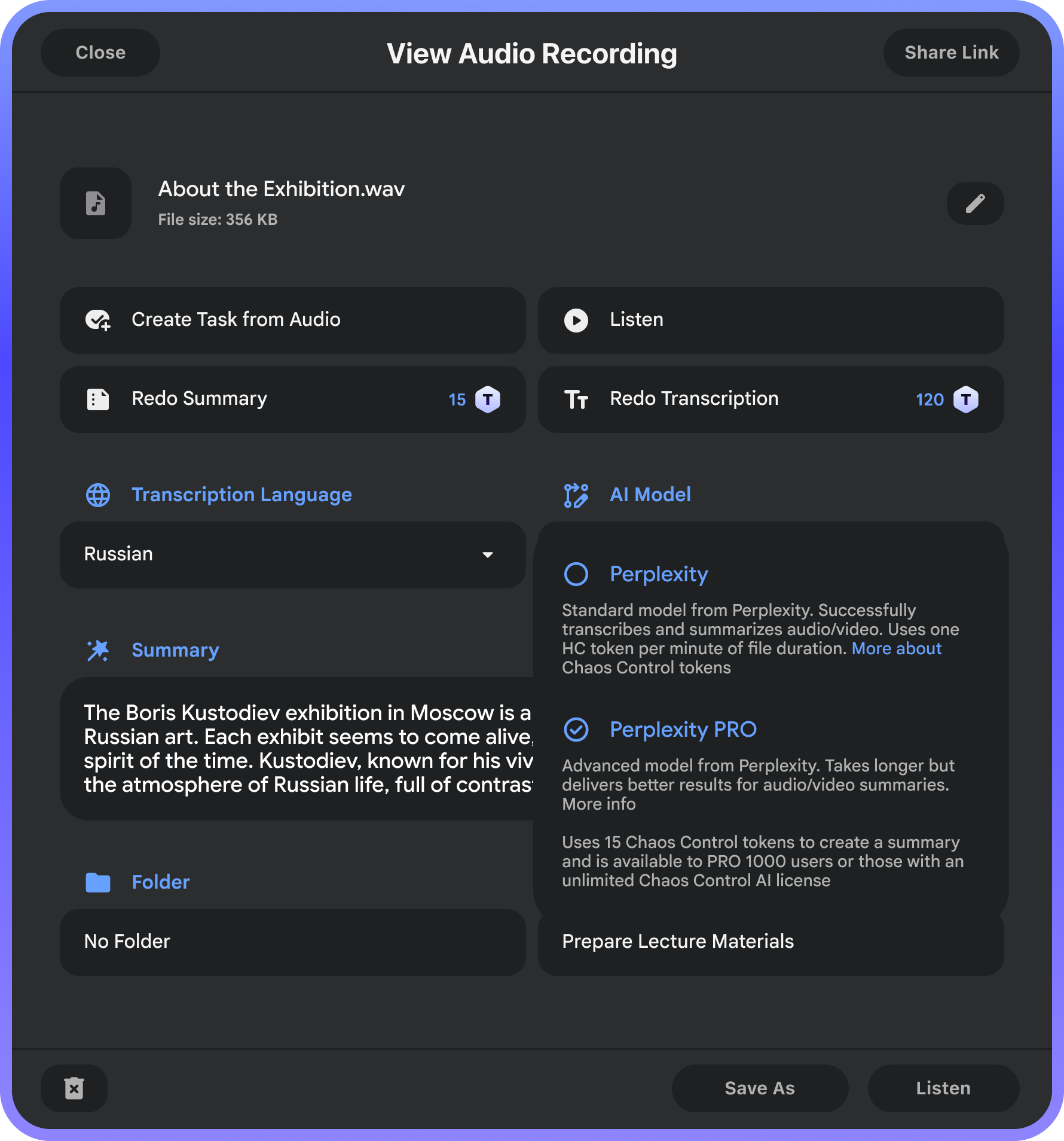
- A request to the Perplexity model in Chaos Control AI consumes 1 CС token
- A request to the Perplexity PRO model consumes 15 CC tokens
- Audio/video transcription using the Perplexity model consumes 1 token per minute of the file
- Audio/video summarization consumes 1 token for Perplexity and 15 tokens for Perplexity PRO
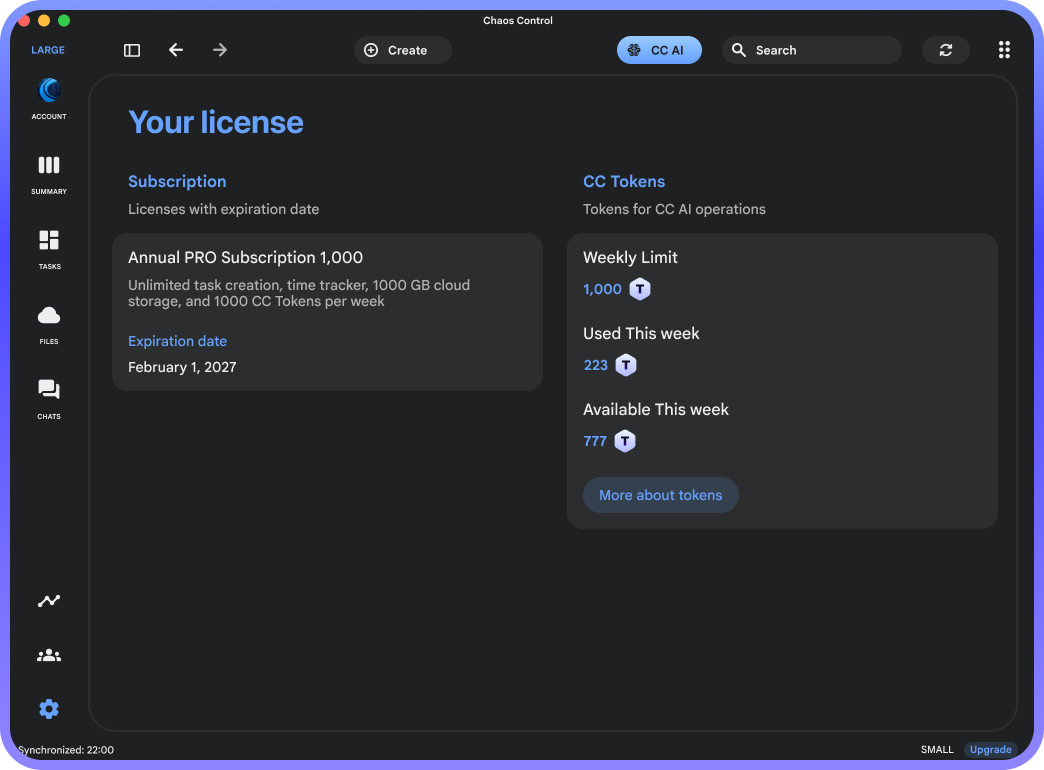
CC Tokens are provided to users on PRO plans according to their plan type:
The limit resets to the plan's maximum value every Monday.
- PRO 10 gives 10 Chaos Control tokens per week
- PRO 100 gives 100 Chaos Control tokens per week
- PRO 1000 gives 1000 Chaos Control tokens per week
The limit resets to the plan's maximum value every Monday.
A few important points about the tokens:
- The previously announced switch to monthly billing for new PRO users will take place on July 6 at 12:00 PM (GMT+3). This change was originally scheduled for the release of 2.15.1, but we have extended the old terms by one week.
- The essence of the change is that PRO licenses purchased from July 6 onward will refresh the number of available tokens monthly rather than weekly. Licenses purchased before July 6 will retain weekly token refreshes.
- If you have already purchased PRO (or manage to do so this week), your available token count will double on July 6 at 12:00 PM GMT+3 time. In other words, by purchasing PRO before the change, you will get 8 times more active tokens compared to those who purchase after this date. So if you haven't gotten PRO yet, now is the time.
- If you have an unlimited Chaos Control AI license, tokens will not be consumed.
In future updates, additional ways to spend CC tokens will appear. In particular, you will be able to use them for customizing your profile in Team Workspaces and for sending special reactions in team chats.
Private Messages and Other Changes in Team Chats
By the way, team Workspace chats now support Direct Messages:
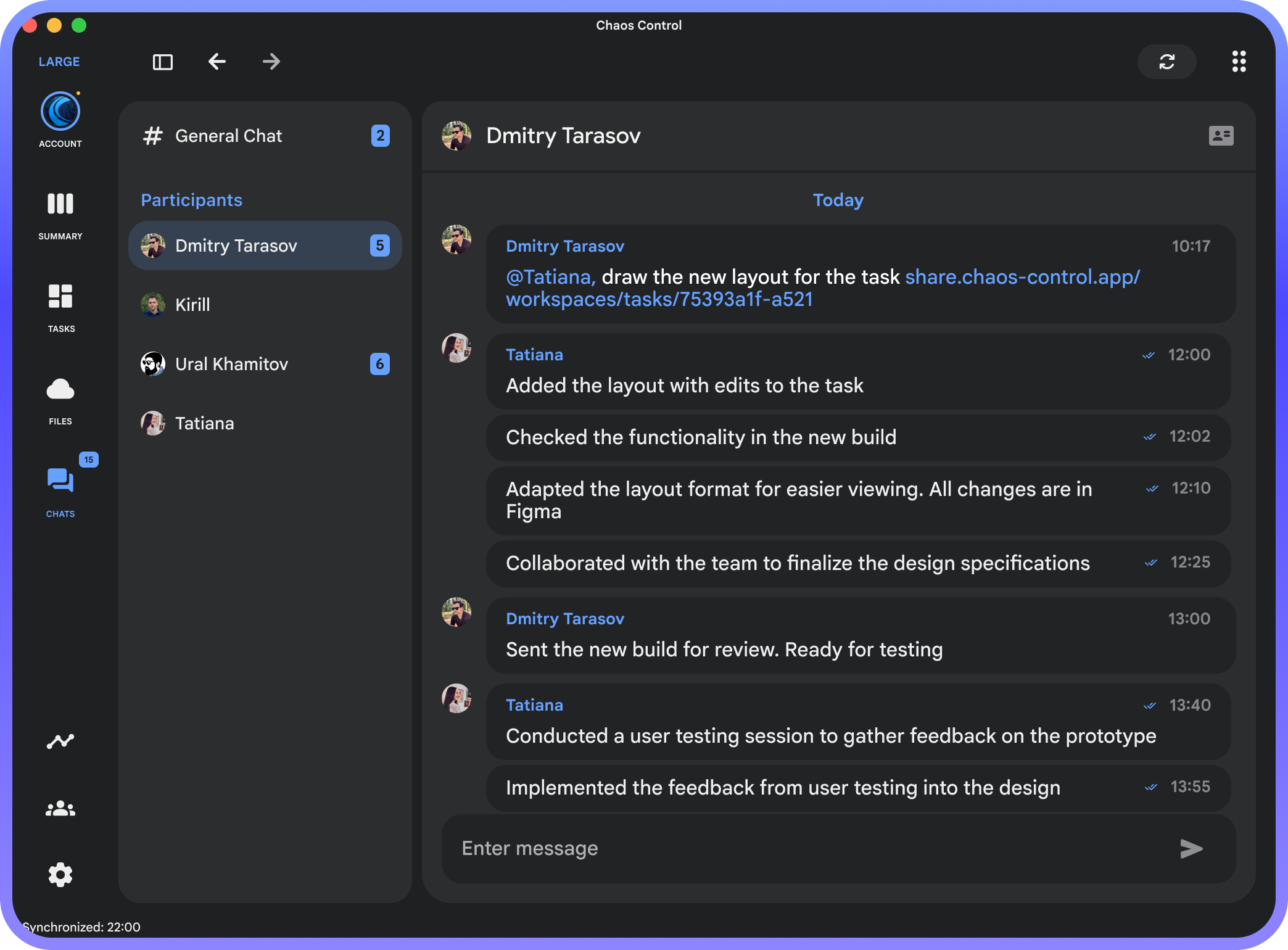
Now, in addition to the general chat available to all members, you can communicate one-on-one. Thematic channels with customizable member lists will follow soon.
Additionally, any chat message can now be automatically converted into a task. To do this, select the message and click the "Create task from message" button, which will open the task creation dialog within the same workspace. The details will automatically include both the original message and a link to it in the chat:
Additionally, any chat message can now be automatically converted into a task. To do this, select the message and click the "Create task from message" button, which will open the task creation dialog within the same workspace. The details will automatically include both the original message and a link to it in the chat:
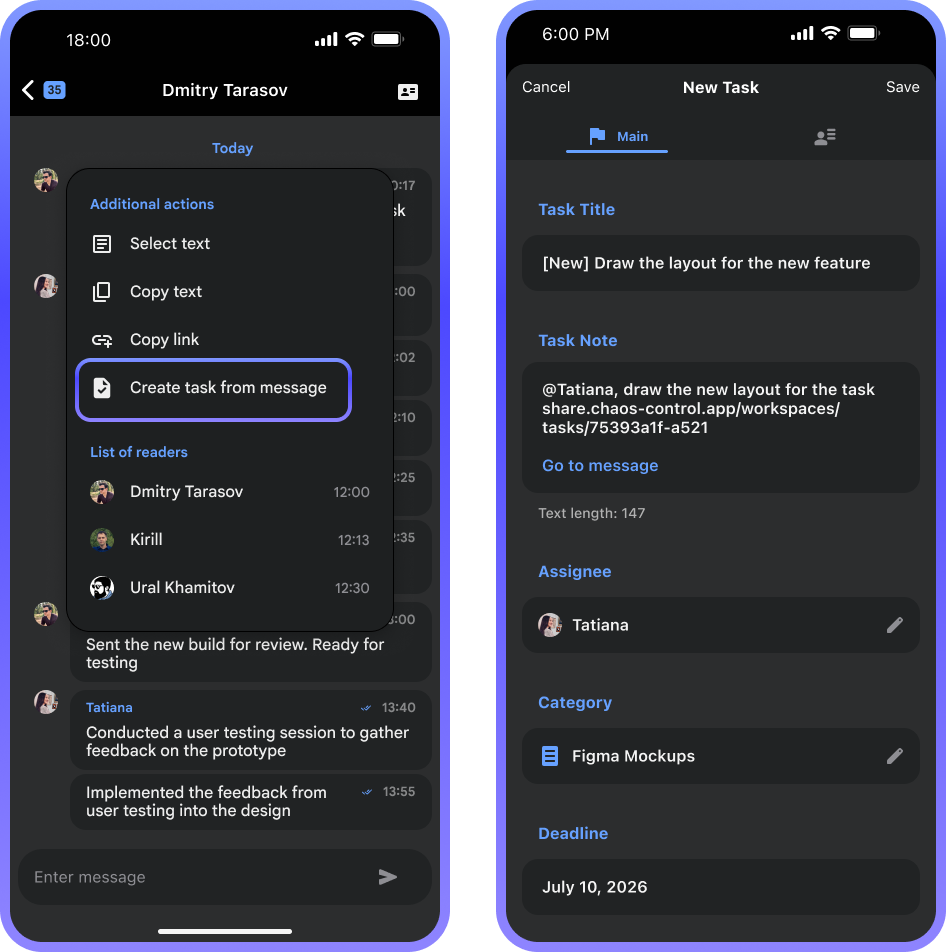
In the same menu, you can also create a link to a message and send it to a colleague in another messenger. When they click it, they'll be taken directly to the corresponding place in the Chaos Control chat (provided they have the app installed).
This one‑click task creation from a chat message is the first demonstration of the advantage of Chaos Control's built‑in messenger. With the arrival of channels and further integration of various workspace components, this will only get more powerful.
By the way, due to the addition of chat features, we have reinstated the option to purchase a lifetime license for a team workspace until July 17. This license includes all current and all future features added to team collaboration (learn more here).
This one‑click task creation from a chat message is the first demonstration of the advantage of Chaos Control's built‑in messenger. With the arrival of channels and further integration of various workspace components, this will only get more powerful.
By the way, due to the addition of chat features, we have reinstated the option to purchase a lifetime license for a team workspace until July 17. This license includes all current and all future features added to team collaboration (learn more here).
Other Improvements
Also in this update:
- Files can now be deleted locally, leaving them in the cloud. Useful for freeing up device storage.
- In the Audio Notes section on mobile clients, you can now import audio from the device's storage.
- Any list now supports expanding and collapsing sections. You can, for example, collapse the list of completed tasks so it doesn't get in the way.
- Audio files for which a transcript and/or summary has been created are now marked accordingly in lists.
- Fixed an issue where checklists for recurring tasks would occasionally duplicate.
- Increased the font size of messages in chats for improved readability.
- The Time Tracker widget now displays time in HH:MM:SS format.
- Other improvements and optimizations.
Download version 2.15.1
Get a PRO license with maximum Chaos Control token limits
Get a lifetime license for your team
P.S. If you have a Premium or PRO license, you are eligible for an additional discount when upgrading to PRO 100/1000 or purchasing a Team Workspace license. Email us at support@chaos-control.app and we will send you a promo code.
Enjoy using Chaos Control!